ArcGIS CityEngine has a flexible user interface (UI) composed of multiple windows where you can access different tools and use for urban design. You can move and resize the windows to create a layout that works best for you.
In the following image, the layout compares two redevelopment scenarios with multiple UI windows displayed:
Note:
The numbers in the image correspond to the numbers in the table below it.
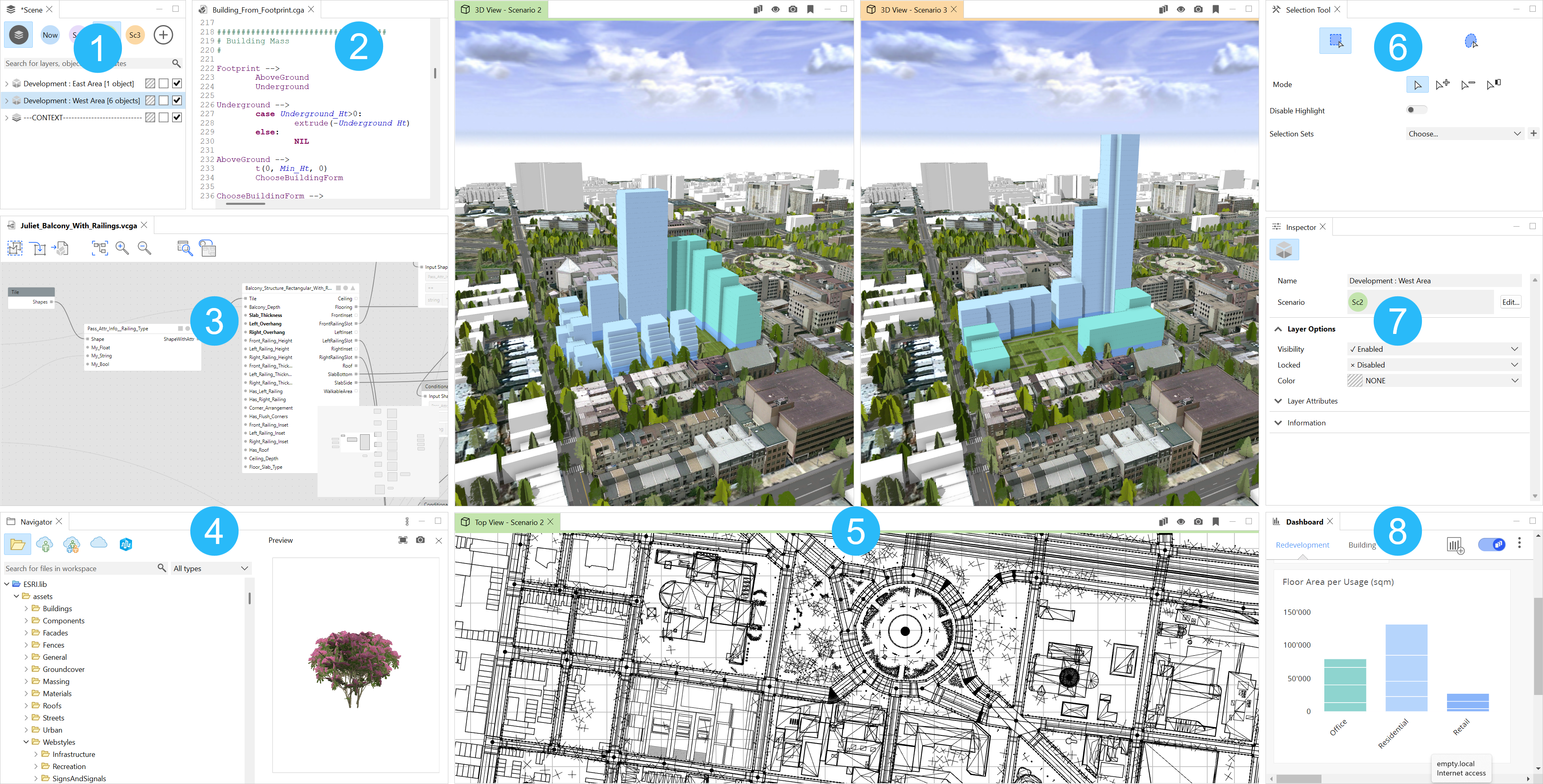
 | Scene Editor | Manage layers in the scene, objects, and scenarios. |
 | CGA Editor | |
 | VCGA Editor | Edit Visual CGA (VCGA), the node-based programming interface that is used to build procedural designs. |
 | Navigator | Work with projects and files in the local workspace. |
 | Viewport | Interact with the 3D environment of the scene using windows, perspective cameras, and scenarios. |
 | Tool Options | Manage the tool options such as street and shape creation and terrain, or transform tools. |
 | Inspector | View and modify the attributes and parameters of scene objects, such as shapes, streets, terrain, and scenarios. |
 | Dashboards | Analyze the key attributes by scenario. |


Change to a dark theme
You can choose a dark theme to ease eye strain and give the scenes a more modern look.

Additional windows
You can use the following additional windows when you click the Window menu:
Model Hierarchy | Inspect models generated with CGA and VCGA. |
Facade Wizard | Create complex facades and generate CGA rule templates. |
Welcome | Connect to recent scenes, new scenes, and CityEngine resources, and get the latest news. |
Get Started | Explore the basics of CityEngine when going through the CityEngine tour tutorial. |
Progress | View progress reporting of current processing operations. |
Log | View messages such as errors or completed operations. |
Console | View CGA or Python output. |
Problems | View CGA compiler errors and warnings. |
Layout | Choose the layout for the windows. |


