The Log window  shows the log records of CityEngine.
To access the Log window , click Window > Log from the main menu. Log records are created by various parts of CityEngine and range from informational messages to severe internal error conditions (such as out of memory). The properties and values of each log record are shown in this view. The Log window is especially useful in tracking down strange or erroneous behavior.
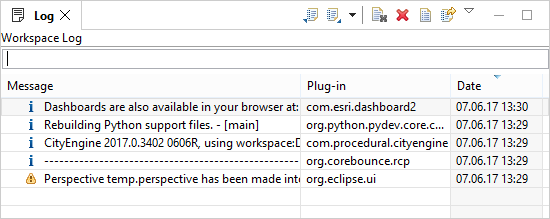
The meaning of the severity color is as follows:
- None—Information
- Yellow—Warning
- Red—Error