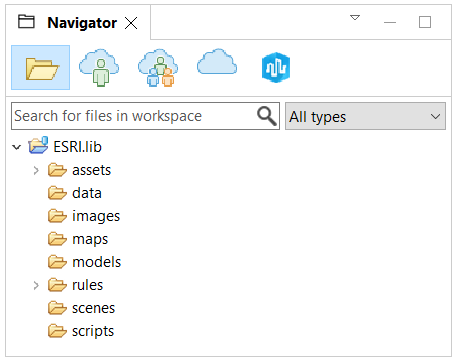
ESRI.lib is a CityEngine project that contains a library full of useful resources, such as CGA rules and assets. It is automatically installed in your CityEngine workspace and can be found in the Navigator window.
Manage ESRI.lib
To update ESRI.lib and Webstyles online, do the following:
- Click File > Manage ESRI.lib in the main menu.
- Select the desired packages.
- Click Update.
The packages are downloaded and directly installed in your current workspace. The Webstyles assets are located in the ESRI.lib/assets/Webstyles subfolder.
ESRI.lib considerations
Consider the following when working with the ESRI.lib:
- When opening a workspace with a new version of CityEngine, ESRI.lib is automatically updated.
- Each workspace has a different copy of ESRI.lib unless you have a special setup.
- When working with different versions of CityEngine, it is recommended that you match the versions of the ESRI.lib and Webstyles libraries. CityEngine usually maintains compatibility, but if the versions do not match, the rules may produce unexpected results.
- To keep the size of the installed ce.lib and ESRI.lib (including webstyles) minimal, you can set the CITYENGINE_LIB_MINIMAL environment variable to 1. This minimizes disk space consumption in workflows in which there are automatically generated workspaces and projects.
Custom edits
Editing files inside ESRI.lib isn't recommended because updating ESRI.lib or CityEngine causes the files to be overwritten. To make custom edits to a rule, first copy the rule to your project folder and then make the changes to your copy. Any references to assets will still refer back to ESRI.lib, and therefore, the assets don't need to be copied to your project folder.
Note:
The usage and distribution of ESRI.lib is governed by the Esri Master Agreement (EULA) located in the CityEngine installation folder.